
ONE ACCOUNT
“Who could potentially introduce me to Acme, Inc today?”


THE SWARM + CLARIFY
See who on your team knows your target buyers, how strong the relationships are, and who to ask for a warm introduction. All inside Clarify.
Get Started ↗WATCH THE WALKTHROUGH
Travis Strickland joins Olivier Roth to show the setup, account research, and agents that put relationship data to work.
FIND THE RIGHT CONNECTOR
Ask Clarify to find introductions to an account or across a list. The Swarm returns potential connectors, relationship strength, and the context behind each path.
ONE ACCOUNT
“Who could potentially introduce me to Acme, Inc today?”
OVERALL
“Which target accounts should I prioritize based on intros available?”
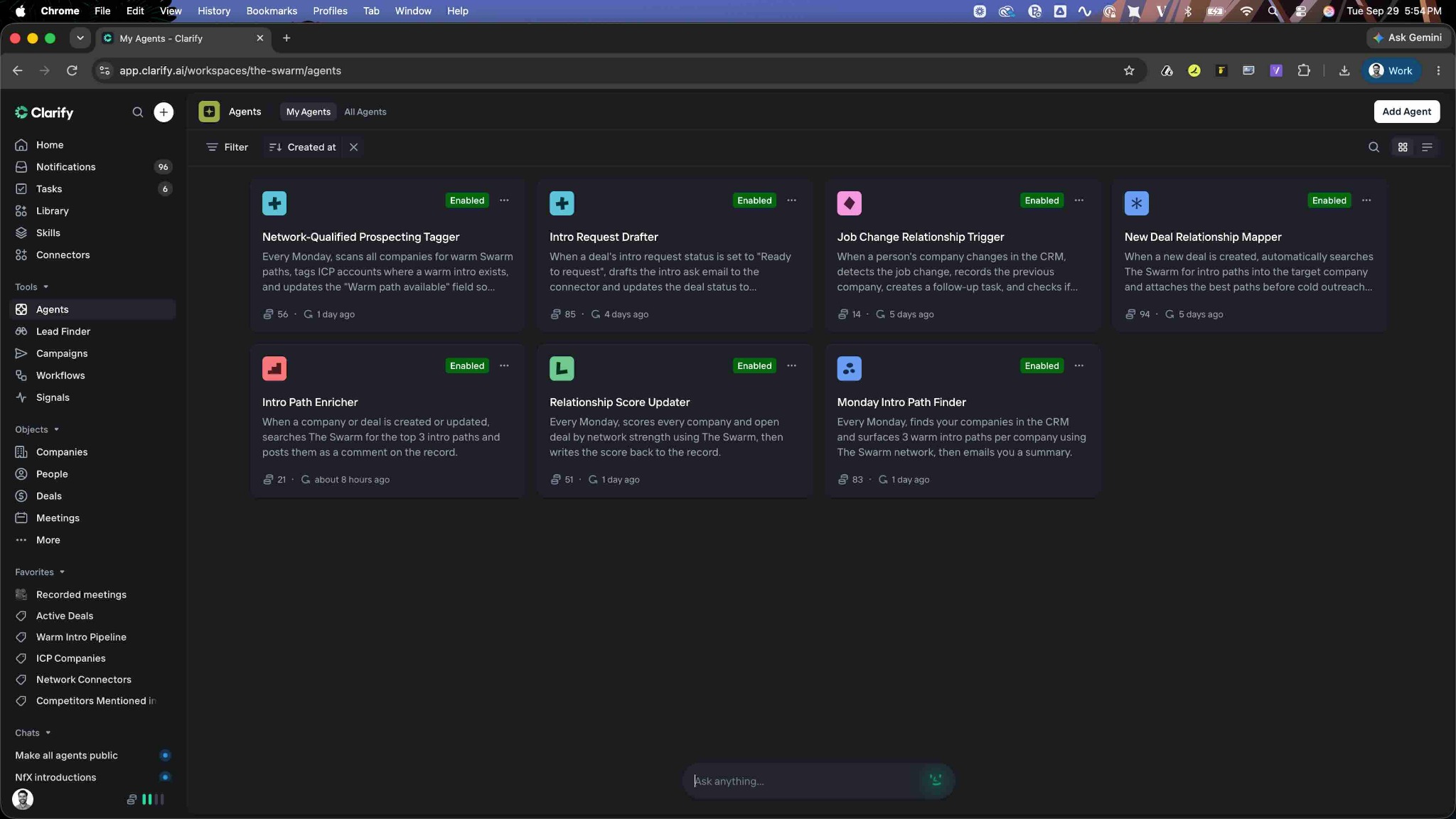
LET AGENTS DO THE FOLLOW-THROUGH
CLARIFY AGENT
Surface three paths into target accounts or stalled deals, then email your rep a summary.
CLARIFY AGENT
Refresh network strength on CRM records as your network and target buyers change.
CLARIFY AGENT
Draft the ask in Gmail and log it on the deal. Your rep reviews and sends.
Example agents demonstrated in the video. Configure them for your team’s workflow.
QUICK SETUP
01
You’ll need a Swarm account to get started.
02
Follow the prompts in Clarify, under "Connectors".
03
Ask Clarify who can introduce you to a target buyer.

“Being able to understand how to get into new accounts and multi-thread throughout existing opportunities is invaluable!”
Travis Strickland
Head of GTM at Clarify
WORKS WHERE YOU WORK
Create and connect your Swarm account for free today.
Get started ↗


